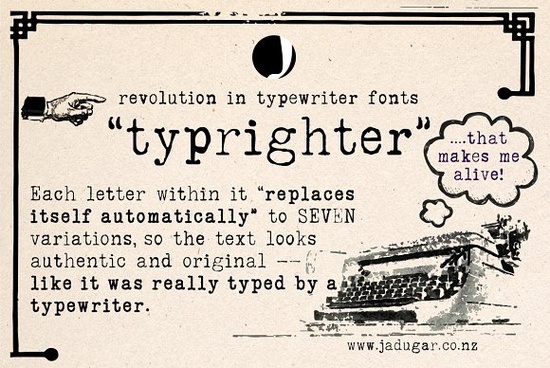
If you’ve ever wanted your digital designs to feel like they were tapped out on a vintage typewriter, Typrighter Font is worth a closer look. It’s not just another monospaced typeface it’s built with subtle, automatic letter variations that mimic the natural inconsistencies of real typewriter keys. Every time you type a letter, the font swaps in one of up to seven alternate versions, so no two lines ever look exactly alike. That means your greeting cards, posters, or branding materials get an authentic, hand-typed texture without any manual tweaking.
This kind of detail matters if you’re designing for print-on-demand shops, Etsy listings, or small business branding. Customers notice when something feels genuinely nostalgic rather than just “retro-themed.” And because Typrighter handles the variation automatically through OpenType features, you don’t need to dig into glyph panels or layer text manually. Just type and let the font do the work.
How does Typrighter create that authentic typewriter look?
Most typewriter-style fonts give you one rigid version of each character. Typrighter goes further by using contextual alternates meaning as you type, letters subtly shift shape based on what comes before or after them. Think of how real typewriter ribbons wear unevenly, or how keys might strike slightly off-center. The result? A rhythm and texture that feels human, not robotic.
- No two “a”s look identical
- Spacing and weight vary slightly just like ink smudges or pressure differences on paper
- Works in most design software that supports OpenType (Adobe apps, Affinity, Canva Pro, etc.)
If you’ve tried other serif fonts for vintage projects and found them too stiff, you might also like checking out Whimora it’s softer and more calligraphic, but still full of personality for handmade-style designs.
Who should use this font?
It’s especially handy if you’re:
- Running a print-on-demand store product mockups with Typrighter feel instantly tactile and nostalgic, which helps listings stand out.
- Making wedding or event stationery invitations, menus, or place cards gain warmth and charm without looking overly designed.
- Designing logos or packaging for small brands coffee roasters, bookshops, indie record labels anything that wants to whisper “crafted, not corporate.”
- A hobbyist crafting journals, stickers, or wall art the automatic variations mean even simple quotes feel unique every time.
And if you’re browsing other options in the same style, you can compare it with similar picks in the serif fonts category, where you’ll find alternatives that balance structure with personality.
What software works best with Typrighter?
You’ll get the full effect in programs that support OpenType features that includes Adobe Illustrator, Photoshop, InDesign, Affinity Designer, and even newer versions of Canva (Pro plan required for font uploads). If you’re using basic tools like Word or older versions of design apps, you’ll still see the base characters, but you won’t get the automatic alternates unless you manually select glyphs.
Tip: In Adobe apps, make sure “Contextual Alternates” is turned on under the OpenType panel. In Affinity, check “Stylistic Sets” or “Contextual Alternates” depending on your version.
Is it good for long paragraphs or just headlines?
Surprisingly, yes it’s readable at smaller sizes too. While many typewriter fonts turn muddy in body text, Typrighter’s careful spacing and clear letterforms hold up well even in short paragraphs. That makes it useful for things like:
- Book chapter openers
- Product descriptions on packaging
- Blog headers or pull quotes
- DIY zines or handmade recipe cards
Just avoid ultra-light weights or tiny point sizes like any textured font, clarity fades if you push it too far.
For more background on how contextual alternates work in modern fonts, you can read about the tech behind it at Typrighter Font.
Quick checklist before you start designing
- ✅ Confirm your software supports OpenType contextual alternates otherwise, you’ll miss the magic.
- ✅ Test readability at your intended size print a sample if possible.
- ✅ Pair it with clean sans-serifs try combining Typrighter with something minimal like Helvetica Neue or Montserrat for contrast.
- ✅ Avoid overusing ALL CAPS the charm is in the irregular lowercase flow.
- ✅ Save a PDF or outline your text before sending to print ensures the alternates stay locked in place.
Whether you’re refreshing a shop’s branding or adding soul to a personal project, Typrighter gives you that imperfect, human touch without needing to hunt down a 1970s typewriter or scan handwritten pages. Sometimes, the right font isn’t about being perfect. It’s about feeling real.
Learn More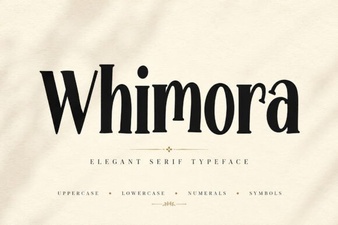 Whimora Font: Style Your Creative Projects
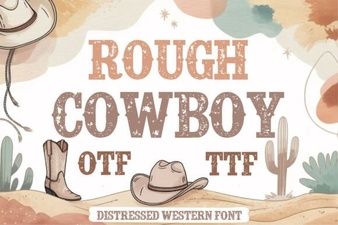 Rough Cowboy Fonts: Design Inspiration & Uses
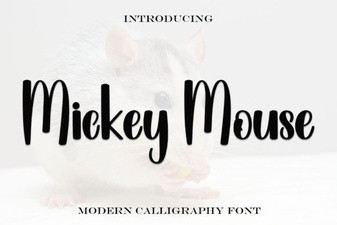 Craft Your Projects with Mickey Mouse Font Style
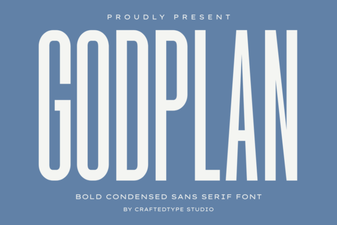 Download Godplan Font for Modern Typography Designs
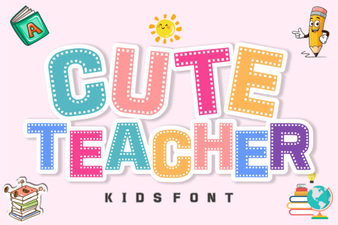 Playful & Friendly Fonts for Educational Materials
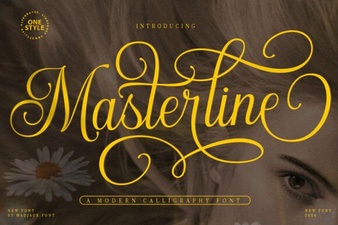 Masterline Calligraphy Font: Design & Typography Guide