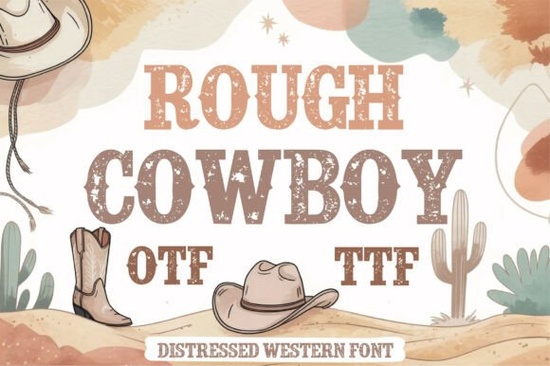
If you’ve been searching for a font that brings authentic western grit to your designs without looking overdone, Rough Cowboy Font might be exactly what you need. It’s got that weathered, hand-stamped feel like something you’d find on an old saloon sign or a vintage rodeo poster. The bold slab serifs and subtle texture give it character without sacrificing readability, which is rare in distressed typefaces. Whether you’re designing t-shirts for Etsy, branding a local BBQ joint, or creating rustic wedding invites, this font holds up beautifully in print and digital formats.
What kind of projects does this font work best for?
You’ll get the most out of Rough Cowboy when you’re aiming for a rugged, nostalgic vibe. Think:
- Western logos especially for ranches, boot shops, or country music venues
- T-shirt and hoodie designs pairs well with line art of horses, cacti, or cowboy hats
- Event posters rodeos, barn dances, county fairs
- Sublimation crafts mugs, wood signs, tote bags
- Rustic branding coffee roasters, craft breweries, handmade goods
It’s not meant for body text or minimalist layouts. But if you want something that feels grounded, handmade, and full of personality, this is a solid pick. You can browse more options like it in our slab serif fonts collection, where texture and structure meet style.
How does the texture hold up at small sizes?
Good question. A lot of distressed fonts fall apart when scaled down they turn muddy or lose their charm. Rough Cowboy avoids that by keeping the wear subtle. The roughness is built into the letterforms, not just layered on top, so even at smaller sizes (think 18pt or above), you still get legibility without losing that vintage edge. That’s huge if you’re printing on tags, labels, or business cards.
For best results, avoid using it under 14pt unless you’re going for an intentionally degraded look. And if you’re sublimating or screen printing, always do a test print first the texture can interact differently with fabric or coated surfaces.
A quick tip: Pair it right
This font shines when paired with clean, simple sans-serifs. Try combining it with something like Montserrat or Lato for contrast. The roughness of Rough Cowboy stands out more when balanced against smooth, modern type. Avoid pairing it with other distressed or script fonts that’s when things start to look cluttered.
Is it easy to install and use across platforms?
Yes. Like most Creative Fabrica fonts, you’ll get both OTF and TTF files, so whether you’re working in Adobe Illustrator, Canva, Silhouette Studio, or even Procreate, installation is straightforward. If you’re new to installing custom fonts, Creative Fabrica includes clear instructions with every download. No weird plugins or converters needed.
And because it’s from a reputable marketplace, you’re also getting commercial licensing included so you can confidently sell products made with it. Just make sure to check the specific license terms after purchase, since some extended uses (like app embedding) may require an upgrade.
Why choose this over free alternatives?
There are plenty of “cowboy-style” fonts floating around for free, but most lack the polish and intentional distressing that makes Rough Cowboy stand out. Free versions often have uneven kerning, missing characters, or textures that look digitally slapped on. This one was clearly designed with real-world application in mind you can tell by how consistent the weight and spacing are, even with all the grit.
If you’re serious about selling your designs or building a brand, investing in quality type pays off. A single professional font can elevate dozens of projects. You can see how it compares to similar styles by checking out Rough Cowboy Font directly on Creative Fabrica.
What do users say about it?
Most reviews highlight how versatile it is especially for POD sellers who need fonts that photograph well on mockups. One user mentioned using it for leather patch designs, another for chalkboard-style cafe menus. Several noted that clients immediately “got the vibe” when they saw it in logo drafts, which saved revision time. That’s the mark of a font that communicates its style clearly.
One thing to keep in mind
Because of its boldness, it’s not ideal for long headlines or tight spaces. Give it room to breathe. Use uppercase sparingly it looks great in title case or mixed case for a more organic feel.
Next step: If you’re ready to try it, download the preview files first. Creative Fabrica lets you test-drive fonts with watermarked versions before buying. Open it in your usual design software, type out a few sample phrases, and see how it fits your workflow. Sometimes the best way to know if a font “clicks” is to use it in context.
Get Started Craft Your Projects with Mickey Mouse Font Style
 Download Godplan Font for Modern Typography Designs
 Playful & Friendly Fonts for Educational Materials
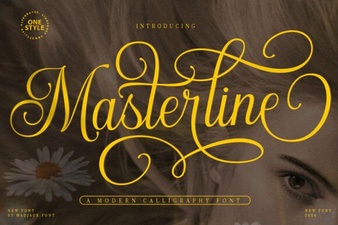 Masterline Calligraphy Font: Design & Typography Guide
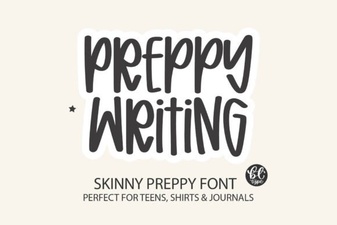 Preppy Fonts for Clean Website Design
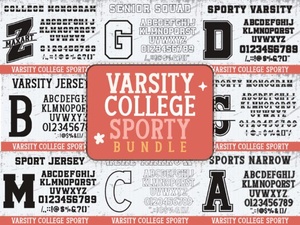 Craft a Sporty Look with Varsity College Font Bundles